How to use the filter:
Download and install the package.
Start Skype or the application in which you want to use the filter.
Moonware Unversal Source Filter will be displayed in the list of local video sources:
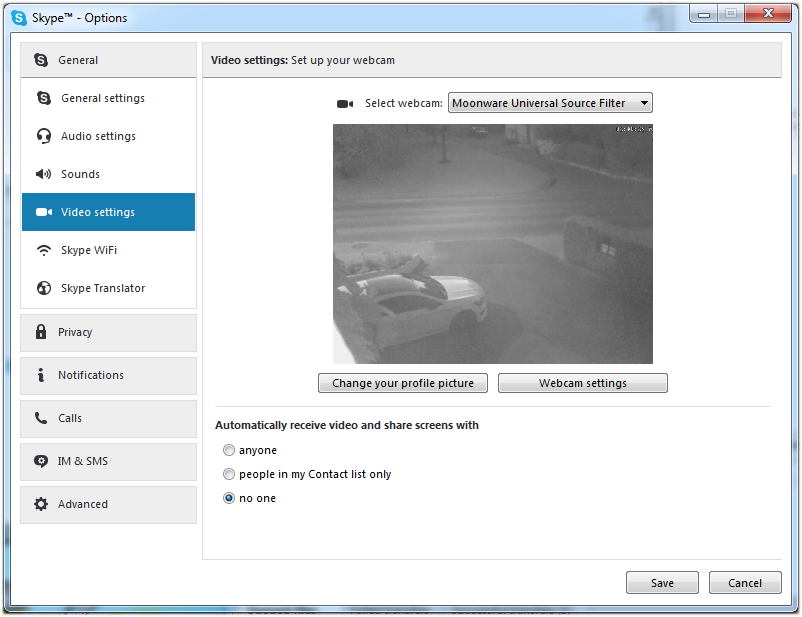
Click on Configure Webcam Settings if you use Skype to modify the settings for the video stream.
It will open this dialog so that you can setup your video source:
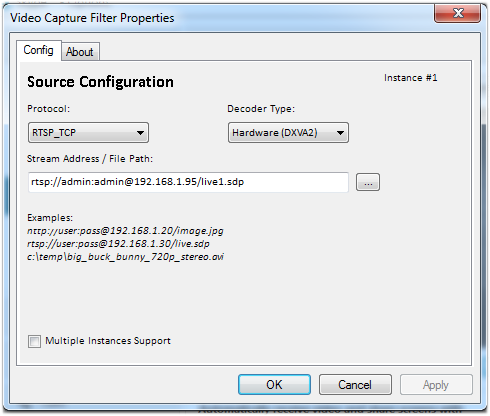
Click Ok, eventually reconnect the video source (needed if the resolution changes) and you’re done…