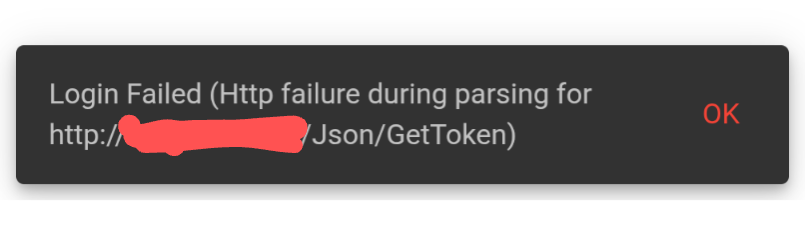
I’ve been unable to sign in using the client software on Windows 11 today. I rolled back my PC to last night’s state and all was well again until I performed a Windows update and the issue returned.
The update was 2025-10 .NET 8.0.21 Security Update for x64 Client (KB5068331)
It’s got to be something to do with that Windows update as I was able to gain access normally after the system restore but as soon as I manually updated Windows the error returned.
I have the same issue. The service is not running, and if I attempt to start it, Windows says it tries, but gets an error 1064: an exception occured in the service when handling the control request. Anyone know what this means and how to get past it please ?
Same issue here, although I narrowed it down to KB5066131 (2025-10 Cumulative Update for .NET Framework 3.5 and 4.8.1 for Windows 11, version 24H2) which was at the same time as the .NET 8.0.21 update but I only had to uninstall the first one (the Netcam console was showing errors relating to NET481 when it broke).
Yeah, could be those other updates. I think they had both installed when I first encountered the issue but I thought they were still pending download after my System Restore (and after the issue had returned). Happy to be corrected.
OK. Well a little bit of progress. I attempted to follow the clean installation instructions, but was unable to find any Folders under my called “Appdata” \ anything. Are they now called something different under Win 11 ? Anyway, I deleted everything I could find, and reinstalled the 64 bit application. The service can now be started, but the client still refuses to connect. Default user ‘admin’ and password ‘1234’ and attempting to connect to a server at 127.0.0.1 which I think is what it has always been, but it won’t connect. I can connect to one of my cameras using Chrome and its URL:80/capture. In the Netcam server part of the App - the blue background icon - I was initially able to get to a screen that looked like the basic client screen, and engage the ‘add camera’ function. I was able to go to the custom URL tab and put in the same URL connection data as works in chrome, and as has always been the Netcam Studio X data for that camera (I have screenshots) but it doesn’t find it. Now, if I try to go back to this, I just get a little message window saying that “Netcam Studio is already running”. Sorry if I’m seeming dumb here. I have had problems after Windows updates in the past, but never had this much trouble trying to resolve them. I would dearly like to get this going again as its the only app I’ve ever found that handles my little ESP32cams without issue
I have everything up and running again and, from what I’ve read, it was indeed a dodgy Windows Update to blame just as we all suspected.
To fix it I simply went to the Windows Update page, selected ‘check for updates’ and, as soon as ‘You’re up to date’ was displayed, I restarted my PC (even though nothing appeared to install as per the article).
So I finally gave up. Nothing my limited experience of computers allowed me to do - including what I thought was a clean instal - helped. Yesterday, there was a Windows update, which went normally. Today, it suddenly occured to me to try Netcam Studio again, as it originally went pear-shaped after an ‘update’, and Yay ! My cameras are back. Nothing at all done by me other than allowing the Windows update, so clearly, they have corrected something that they screwed up on the last update !