I have just bought a new IP camera from Septekon and want to get it on my Netcam Studio X. It is ONVIF and rtsp compatible, which is why I chose it. I can go to the ONVIF camera adding page in Studio and click ‘browse’ and it appears to find it ok at the address I was expecting. However, when I then click ‘Get Profiles’ nothing happens. There are no selections appearing in section 3. Does anyone who understands about ONVIF know what these profiles are and what I should be seeing, or think of anything I’m doing wrong ? This is the first time I’ve tried to connect an ONVIF compatible camera. The ones that I currently have on Studio are ESP32 cams, connected via the ‘custom URL’ option.
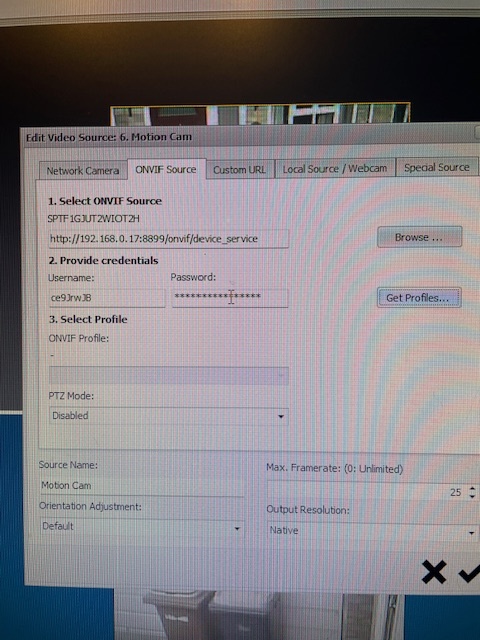
I think I have the user name and password right, but if not, would Studio report this, or just do nothing as it seems to be doing now ? The camera is a Septekon wifi IP camera
Any help or thoughts greatly appreciated
Thanks
Geoff